Apply Design comparison
Apply Design Alternative: Yavay vs Apply Design (2026)
Apply Design pairs one-click AI with a drag-and-drop furniture editor. Yavay is built for speed and cost across the whole listing.
Try Yavay freePrices checked October 2026. 40 free credits, no card.
In short
Apply Design sells coins at $7–$10 each: an automatic AI image costs 1.5 coins ($10.50–$15) and a DIY image you arrange yourself costs 1 coin, with unlimited revisions and a money-back guarantee. Yavay Studio stages a photo for about $0.38–$0.53 and adds renovation, exterior, tours and video. Apply Design suits stagers who want hands-on control of every piece; Yavay suits agents who want speed and a low price per listing.
Apply Design vs Yavay at a glance
| Feature | Apply Design | Yavay Studio |
|---|---|---|
| What it is | Pay-per-image staging: AI auto mode plus a DIY editor | Self-serve AI studio for listing visuals |
| Pricing | Apply Coins at $10 (1–9), $8 (10–19) or $7 (20+); Auto image 1.5 coins, DIY image 1 coin | Free to start (40 credits). Packs from $9; Pro $48/mo for 1,000 credits; Max $148/mo for 2,500 |
| Cost per staged photo | $10.50–$15 (Auto), $7–$10 (DIY) | $0.29–$0.38 on Pro (yearly or monthly), $0.53 with the $99 pack (8 credits a photo) |
| Turnaround | 10–15 minutes for Auto (its pages say both) | About a minute per photo |
| Free trial | First image free | 40 credits (about 5 staged photos), no card |
| Best for | Stagers and photographers who want to place furniture by hand | Agents who want staging plus renovation, exterior, tours and video in one place |
What staging 8 listing photos costs
Virtual staging only, one render per photo, at each company's published prices.
Apply Design
$96.00
12 coins (8 Auto images × 1.5) at $8
Yavay Studio
$4.22
64 credits from the $99 pack, or about $3.07 of a Pro month
Which one to pick
Choose Apply Design if
- You want to drag and drop specific furniture from an 18,000-item catalog
- You want unlimited revisions and a money-back guarantee on every image
- You need 360° image staging today
- You prefer paying per image with no subscription
Choose Yavay if
- You want staging in about a minute for well under $1 a photo
- An 8-photo listing costs about $3 instead of around $96
- You also need renovation previews, exterior edits, sketch-to-render, floor-plan tours or video
- You'd rather restyle with a click than arrange each room by hand
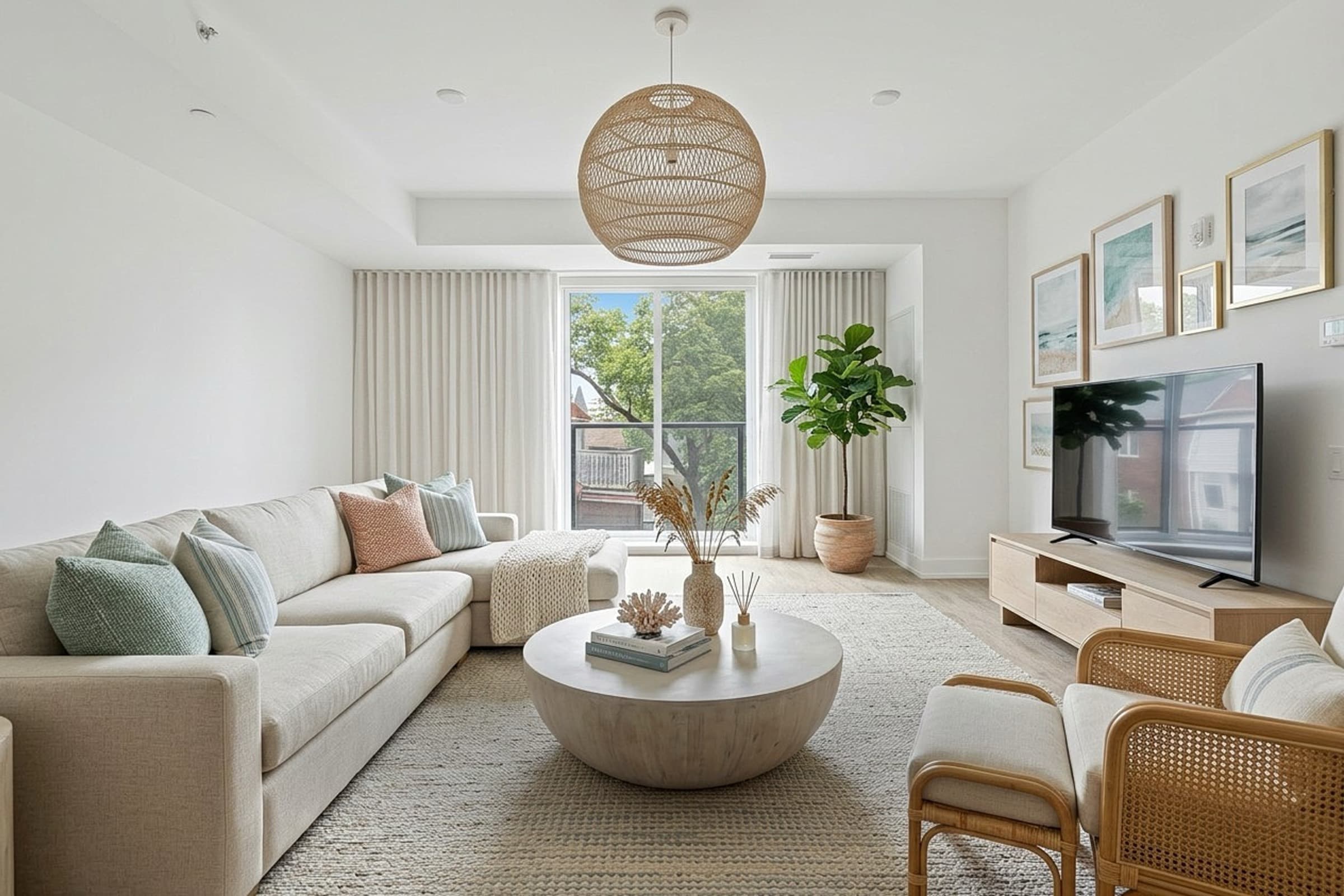
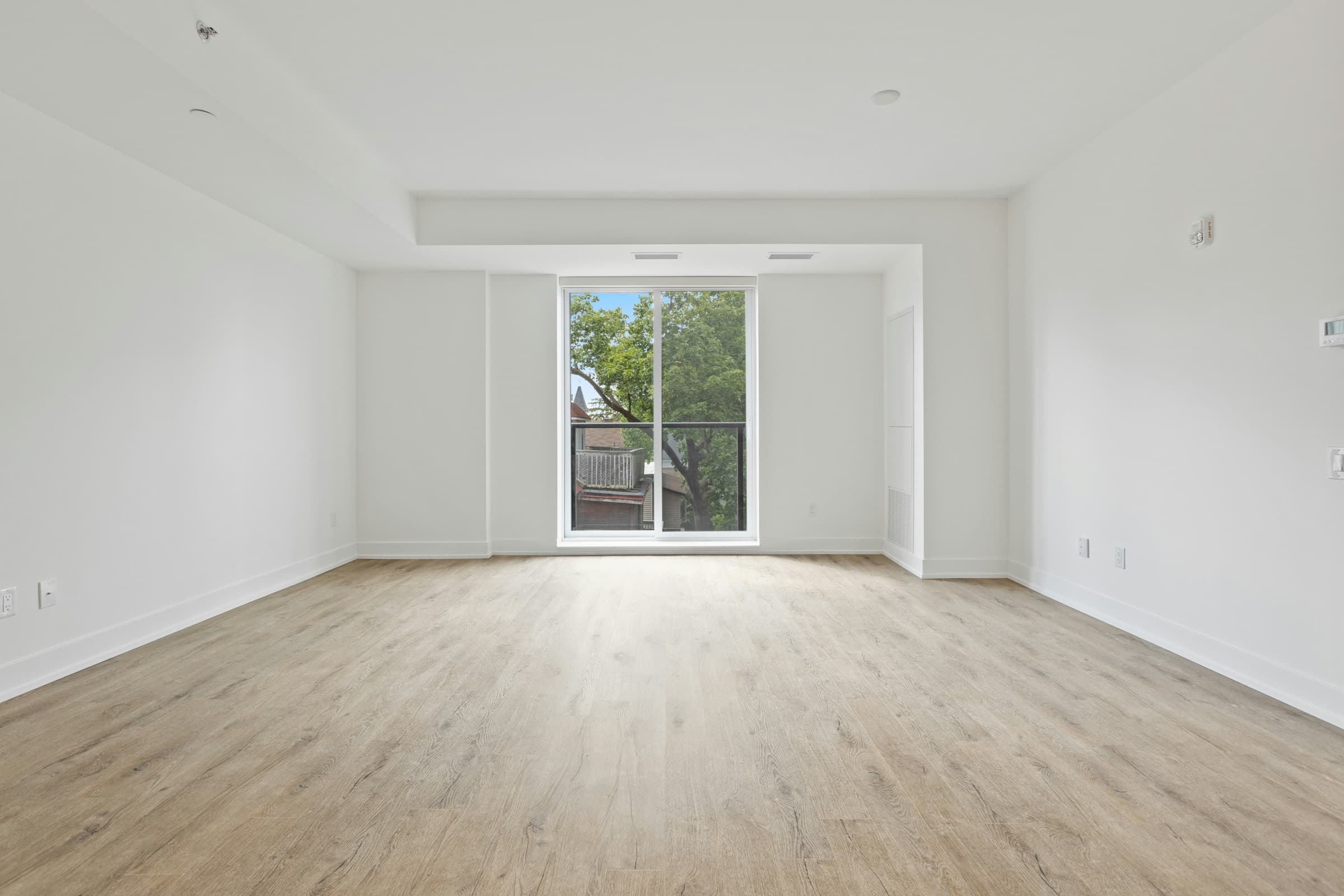
A real Yavay render
Made in Yavay Studio from the photo on the left. Drag to compare.
Feature by feature
| Feature | Apply Design | Yavay Studio |
|---|---|---|
| Instant AI staging | ||
| Human-edited staging | Not listed | White Glove: $200 per property, up to 50 photos, 48 hours |
| Declutter / furniture removal | Yes (item removal) | White Glove only |
| Renovation previews | Not listed | |
| Exterior and landscaping | Shown in its gallery | |
| Sketch to render | Not listed | |
| 3D or 360° tours | 360° image staging | Floor-plan 360° walkthroughs |
| Video from photos | Video clips | |
| Floor plans | Not listed | Import and 3D view |
Frequently asked questions
How much does Apply Design cost?
Apply Design sells Apply Coins at $10 each for 1–9, $8 for 10–19 and $7 for 20 or more. An automatic AI image is 1.5 coins and a DIY image is 1 coin, so a staged photo is $7–$15.
Is Yavay cheaper than Apply Design?
Yes. A Yavay staged photo is about $0.38 on Pro or $0.53 with the $99 pack. Staging 8 photos in Apply Design's Auto mode is about $96.
Does Yavay have a DIY furniture editor like Apply Design?
Yavay's floor-plan editor lets you place catalog furniture for walkthroughs, but photo staging is AI-first: pick a style and restyle until it's right. If you want to arrange every piece in the photo yourself, Apply Design's DIY mode is built for that.
Which is faster?
Yavay renders a staged photo in about a minute. Apply Design quotes 10–15 minutes for its Auto mode.
Sources: applydesign.io/pricing, applydesign.io, trustpilot.com/review/applydesign.io, checked October 2026. Yavay prices from our pricing page.
More comparisons: BoxBrownie · Virtual Staging AI · Collov AI · REimagineHome · Styldod · Interior AI · Spacely AI · AI HomeDesign · Homestyler · PhotoUp · Pedra · Best virtual staging software
Judge it on your own listing photo
40 free credits, about 5 staged photos. No credit card.
Try Yavay free